For years, the high cost and rigid contracts of cable and satellite TV have felt like the only game in town. But a revolution has taken place, and it’s called streaming. “Cutting the cord” — ditching traditional pay-TV in favor of internet-delivered entertainment — is no longer a niche trend; it’s the mainstream choice for millions of American households.
If you’re still holding onto that expensive cable box or are just feeling overwhelmed by the sheer number of streaming options, this guide is for you. We will demystify the entire process, from understanding the core concepts to choosing the right services and setting everything up. By the end, you’ll have the confidence and knowledge to build a personalized, flexible, and cost-effective TV experience that truly works for you.
Part 1: The “Why” and “What” of Cord-Cutting
Why Cut the Cord? The Compelling Benefits
The move to streaming isn’t just about being trendy; it’s a fundamentally better way to consume media for most people.
- Significant Cost Savings: This is the number one driver. The average cable bill in the US is well over $100 per month. By carefully selecting streaming services, most households can build a robust entertainment package for $50-$70 per month, saving hundreds of dollars a year.
- Ultimate Flexibility and Control: You are no longer locked into long-term contracts. You can cancel any service at any time, without fees. This means you can subscribe to a service for a single month to binge a specific show and then cancel.
- Personalized Lineups: With cable, you pay for hundreds of channels you never watch. Streaming allows you to pay only for the content you actually want. Love sports? Subscribe to a sports bundle. Prefer documentaries? There’s a service for that.
- Watch Anywhere, Anytime: The core of streaming is on-demand content. Watch on your TV, laptop, tablet, or phone. Pause a show in the living room and resume it in bed. Download shows to your mobile device for viewing without an internet connection.
- Better User Experience: Streaming apps are typically more intuitive and powerful than clunky cable guides. They offer superior search, personalized profiles for each family member, and advanced features like 4K Ultra HD, HDR, and Dolby Atmos sound (often at no extra cost).
What Exactly Are You “Cutting”?
When you “cut the cord,” you are canceling your traditional subscription television service delivered via a cable box (from providers like Comcast Xfinity, Spectrum, or Cox) or a satellite dish (from DIRECTV or Dish Network). You are not necessarily canceling your internet service. In fact, a reliable home internet connection is the foundation of cord-cutting.
Core Streaming Concepts: A Quick Glossary
- On-Demand: The ability to choose and watch any movie or TV episode available in a service’s library whenever you want. Netflix and Disney+ are pure on-demand services.
- Live TV Streaming Services: These services (like YouTube TV, Hulu + Live TV) replicate the cable TV experience over the internet. They offer a lineup of live, linear channels (including news and sports) and almost always include a cloud DVR.
- FAST Channels: Free Ad-Supported Streaming Television (like Pluto TV, Tubi, The Roku Channel). These are free services that offer live, linear channels and on-demand content, supported by commercials. Think of them as the new-age version of broadcast TV.
- Cloud DVR: A feature of live TV services that lets you record shows to the cloud, so you can watch them later. There’s no physical box; it’s all stored on the service’s servers.
- A La Carte: The ability to subscribe to individual channels or services on their own, rather than as part of a large bundle. Apple TV+, Paramount+, and Max are a la carte services.
Part 2: The Essential Gear: What You Need to Get Started
The good news is that you likely already own most of what you need.
1. A Reliable Internet Connection
This is non-negotiable. Streaming consumes data. For a smooth experience, especially for multiple streams or 4K content, you need sufficient speed.
- Recommended Speed:
- For a single HD stream: 5-8 Mbps.
- For a single 4K UHD stream: 15-25 Mbps.
- For households with multiple users/streams simultaneously: A plan with 50-100 Mbps is a safe and comfortable starting point for most families.
- Data Caps: Be aware that some Internet Service Providers (ISPs) impose a monthly data cap (e.g., 1.2 TB). Heavy streaming can eat into this. Most providers offer unlimited data for an additional fee, which may be worth it for cord-cutters.
2. A Streaming Device
This is the hardware that connects your TV to the internet and runs the streaming apps. If you have a “Smart TV,” it has a built-in streaming device, but you may want to upgrade for better performance.
- Streaming Sticks (The Most Popular Choice):
- Amazon Fire TV Stick (especially the 4K Max model): Powerful, integrates deeply with Alexa, and often goes on sale. A fantastic all-arounder.
- Roku Streaming Stick 4K: Known for its simple, neutral interface that doesn’t favor any particular content provider. Extremely user-friendly for beginners.
- Google Chromecast with Google TV: Offers a highly personalized interface that aggregates content from all your services in one place. Integrates seamlessly with Google Assistant.
- Set-Top Boxes (For the Enthusiast):
- Apple TV 4K: The premium option. Blazing fast, with a beautiful interface, superb integration with the Apple ecosystem, and the best gaming library of any streaming device.
- NVIDIA Shield TV Pro: The most powerful device on the market. Beloved by tech enthusiasts for its ability to handle high-quality audio formats, AI upscaling, and game streaming.
- Smart TVs:
- Pros: Convenience. No extra device needed.
- Cons: The built-in “smart” platform (like Samsung’s Tizen, LG’s webOS, or a generic “Google TV”) can become slow and outdated long before the TV’s panel dies. Apps may not be updated as frequently as on dedicated devices. Our recommendation: Treat your Smart TV as a “dumb” display and use a dedicated streaming device for a better, longer-lasting experience.
3. The Right TV
You don’t need a new TV to start streaming, but if you’re in the market, look for a 4K Ultra HD TV with HDR (High Dynamic Range). This will allow you to enjoy the highest quality video that streaming services offer. Popular HDR formats include HDR10, Dolby Vision, and HLG.
Part 3: The Streaming Service Landscape: Building Your Bundle
This is the heart of cord-cutting: choosing the services that match your interests and budget. Think of it as building your own TV package.
Category 1: The “Big Three” On-Demand Services (The Foundation)
Most people start with one or more of these. They are the workhorses of the streaming world, offering vast libraries of original series, movies, and documentaries.
- Netflix: The original disruptor. It remains a powerhouse with an enormous and diverse library. Its strength is in its high-budget, globally popular original series (Stranger Things, The Crown, Bridgerton) and films, along with a deep catalog of licensed content. Price: Starts at $6.99/month (with ads), Standard 1080p is $15.49/month, Premium 4K is $22.99/month.
- Amazon Prime Video: Often bundled with an Amazon Prime membership. It has grown into a major player with acclaimed originals (The Boys, The Marvelous Mrs. Maisel, Reacher). A key feature is the ability to add premium “Channels” like Max, Paramount+, and STARZ directly through its interface. Price: $8.99/month standalone, or included with a $14.99/month Prime membership.
- Disney+: The definitive home for family content and major franchises. It bundles Disney, Pixar, Marvel, Star Wars, and National Geographic. With the integration of Hulu content (via a Disney+ app bundle), it becomes an even more compelling option. Price: $7.99/month standalone, or $14.99/month for a Disney+/Hulu bundle.
Category 2: Live TV Streaming Services (The Cable Replacement)
If you want live news, sports, and to watch shows as they air on broadcast networks (ABC, CBS, FOX, NBC), this category is for you. They are more expensive but still often cheaper than cable.
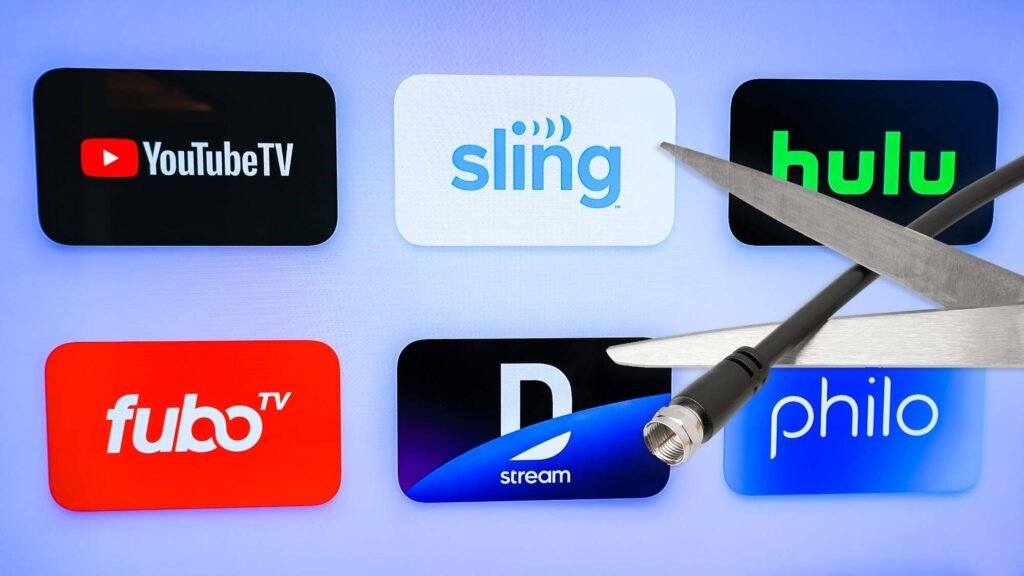
- YouTube TV: Often considered the leader. Offers a robust channel lineup (over 100 channels), an unlimited cloud DVR (with recordings saved for 9 months), and excellent user profiles. Its interface is clean and intuitive. Price: $72.99/month.
- Hulu + Live TV: A strong competitor that bundles its extensive on-demand library with a live TV service. This gives you the best of both worlds in a single app. Includes ESPN+ and Disney+ in its base price. Price: $76.99/month.
- Sling TV: The budget-friendly pioneer. Sling uses a unique “Orange” and “Blue” package system starting at $40/month each, allowing you to pick a leaner lineup. You can combine them for a larger channel selection. It’s a great way to get core cable channels without the high price, though local channels are not available in all markets. Price: Starts at $40/month.
- fuboTV: Originally a soccer-focused service, it has evolved into a comprehensive sports-heavy live TV service. It boasts an impressive channel lineup, with a strong focus on sports and news, and includes a generous cloud DVR. Price: Starts at $79.99/month.
- DIRECTV STREAM: The most “cable-like” of the streaming services, featuring a traditional channel guide and access to many regional sports networks (RSNs) that others have dropped. It’s typically the most expensive option. Price: Starts at $79.99/month.
Live TV Service Comparison Table (2024)
| Service | Starting Price | Key Features & Best For | DVR | Simultaneous Streams |
|---|---|---|---|---|
| YouTube TV | $72.99/mo | Best all-around, unlimited DVR, great interface. | Unlimited | 3 (Unlimited at home) |
| Hulu + Live TV | $76.99/mo | Bundles Hulu on-demand, ESPN+, Disney+. | Unlimited | 2 (Unlimited add-on) |
| Sling TV | $40/mo | Budget choice, customizable packages. | 50 Hours | 1 (Orange) or 3 (Blue) |
| fuboTV | $79.99/mo | Sports lovers, especially for soccer & international. | 1000 Hours | 10 at home / 2 on go |
| DIRECTV STREAM | $79.99/mo | Access to Regional Sports Networks (RSNs). | Unlimited | Unlimited at home / 3 on go |
Category 3: Specialty & A La Carte Services
These are the services you add to your foundation to fill specific interests.
- Max: The home of HBO originals plus a massive Warner Bros. Discovery library. A must for prestige television (House of the Dragon, The Last of Us), blockbuster movies, and documentaries. Price: $9.99/month (with ads), $15.99/month (ad-free).
- Paramount+: Strong for CBS shows, new Star Trek series, and a huge back catalog of shows and movies. Also includes live sports like NFL games and UEFA Champions League. Price: $5.99/month (with ads), $11.99/month (ad-free).
- Peacock: The home for NBC Universal content. Includes next-day airing of NBC shows, a deep library of classic TV, and a major hub for WWE. Also the exclusive streaming home for many Premier League soccer matches. Price: $5.99/month (with ads), $11.99/month (ad-free).
- Apple TV+: A curated, high-quality over high-quantity service. All content is original and of very high production value (Ted Lasso, Severance, For All Mankind). It has a small but excellent library. Price: $9.99/month.
Category 4: Free Ad-Supported TV (FAST)
Never underestimate the power of free! These services are fantastic for background noise, discovering old favorites, or just saving money.
- Pluto TV: The king of FAST. It has a channel-guide interface with hundreds of live, linear channels covering news, classic TV, movies, and niche topics.
- Tubi: Focuses more on a huge on-demand library of movies and TV shows, with a surprisingly good selection of quality content.
- The Roku Channel: Accessible to anyone with a Roku account (not just Roku devices), it offers both live channels and on-demand content.
- Freevee (from Amazon): Integrated into the Prime Video app, it offers a selection of original series and a large on-demand library of movies and shows.
Part 4: Your Step-by-Step Cord-Cutting Action Plan
Feeling overwhelmed? Follow this simple, step-by-step process.
- Audit Your Current Viewing Habits.
- Make a list of the 10-15 shows you must be able to watch.
- Note which channels you watch regularly (e.g., ESPN, CNN, HGTV).
- Identify what type of viewer you are: A live sports fan? A binge-watcher of Netflix originals? A news junkie?
- Test Your Internet.
- Use a speed test tool (like speedtest.net) to check your current download speeds. If they are below 50 Mbps and you have multiple viewers, contact your ISP about upgrading your plan.
- Choose Your Device(s).
- Based on your budget and ecosystem preference (e.g., Alexa vs. Google Assistant), pick a primary streaming stick for your main TV. The Roku Streaming Stick 4K or Amazon Fire TV Stick 4K Max are excellent, affordable starting points.
- Build Your Service Bundle.
- Start Small. Begin with one foundational on-demand service (like Netflix or the Disney+/Hulu bundle).
- Add Live TV Only If Needed. If you miss live news and sports, then explore a live TV service like YouTube TV or Sling TV. Don’t start with the most expensive package.
- Rotate Services. Get into the cord-cutter mindset: subscribe to Max for a month or two to watch the latest season of your favorite show, then cancel and switch to Apple TV+ for the next one.
- Set Up Your Equipment.
- Plug your streaming device into your TV’s HDMI port.
- Connect to your Wi-Fi network.
- Create accounts (or use existing ones) for your chosen services and download their apps.
- Install an Antenna for Local Channels (The Pro Move).
- For true local news and major network shows (ABC, CBS, NBC, FOX) in the highest possible picture quality (and completely free), a one-time purchase of an over-the-air (OTA) HD antenna is a brilliant addition. This can potentially save you money by allowing you to choose a cheaper live TV service that doesn’t include locals.
Read more: How To Manage Student Loan Debt: Your Repayment Options in the USA
Part 5: Advanced Cord-Cutting Tips & Tricks
- Master Password and Profile Management: Use a password manager to keep track of your subscriptions. Set up individual profiles for each family member on your services for personalized recommendations.
- Use Aggregator Apps: Devices like Google TV, Apple TV, and Amazon Fire TV have universal search functions that can look across all your installed apps to find where a movie or show is available to stream.
- Look for Deals and Bundles:
- The Disney Bundle: Get Disney+, Hulu, and ESPN+ for $14.99/month—a significant savings.
- Student/Military Discounts: Services like Spotify, Apple Music, and even Paramount+ often offer discounted subscriptions for students and military personnel.
- Carrier Deals: Some cellular providers (e.g., T-Mobile) and internet providers offer perks that include free subscriptions to services like Netflix or Apple TV+.
- Annual Plans: Some services, like Peacock and Paramount+, offer a discount if you pay for a full year upfront.
- The “Subscribe & Cancel” Mentality: Remember, there are no contracts. Be ruthless. If you’re not using a service this month, cancel it. You can always resubscribe later.
Part 6: Potential Pitfalls and How to Avoid Them
Cord-cutting isn’t perfect. Being aware of the challenges is key to a good experience.
- Analysis Paralysis: With so many choices, it’s easy to get stuck. Solution: Start with one service. You can’t get it wrong, because you can change it anytime.
- “App Fatigue” & “Subscription Creep”: Juggaging multiple apps and seeing your monthly total rise can be frustrating. Solution: Use a service like JustWatch.com to track what you want to watch. Regularly audit your subscriptions and cancel what you aren’t actively using.
- Internet Reliance & Data Caps: If your internet goes down, your TV goes down. Solution: An OTA antenna provides a crucial backup for local news and weather. For data caps, monitor your usage in your ISP’s account portal and upgrade to an unlimited plan if necessary.
- Sports Blackouts: This is the trickiest area. Regional sports networks and certain national games can be subject to blackout rules on streaming services. Solution: Research carefully. Services like fuboTV and DIRECTV STREAM often have the best RSN coverage, but it varies by market.
Conclusion: Your TV, Your Rules
Cutting the cord is more than just saving money. It’s about taking control of your entertainment. It’s a shift from a passive, one-size-fits-all model to an active, personalized, and flexible one. It requires a little more initial setup and management than cable, but the rewards—financial savings, a better user experience, and ultimate control—are immense.
You don’t have to make all the changes at once. Start by plugging a $30 Roku stick into your current TV and trying out a free trial of a service. Dip your toes in the water. The journey to a smarter, cheaper TV future is just a few clicks away.
Read more: How To Navigate US Taxes: A Simple Guide to Filing and Saving Money
FAQ: Frequently Asked Questions
Q1: Is cord-cutting really cheaper than cable?
In the vast majority of cases, yes. While it’s possible to overspend on streaming services, the average cord-cutter who is selective can save $40-$60 or more per month compared to a standard cable package. The flexibility to cancel services anytime prevents you from paying for channels you don’t watch.
Q2: Can I watch live news and sports without a Live TV service like YouTube TV?
Yes, but it’s more fragmented.
- News: Many news networks offer free live streams on their websites and apps (e.g., CBS News, ABC News Live). Pluto TV also has dedicated news channels.
- Sports: Leagues often have their own streaming services (e.g., NBA League Pass, MLB.TV), though blackouts may apply. Some games are also available on network TV (via an antenna) or on services like ESPN+ or Paramount+.
Q3: I’m overwhelmed by all the service options. What’s the absolute simplest way to start?
Buy a Roku Streaming Stick+. Plug it in. Sign up for the Disney+/Hulu/ESPN+ bundle for $14.99/month. This gives you a massive amount of family, general, and sports content for one low price. You can then add one more service (like Netflix) if you wish.
Q4: How do I get my local ABC, CBS, NBC, and FOX channels?
You have three main options:
- Use a Live TV Service: YouTube TV, Hulu + Live TV, etc., include local channels in most markets.
- Use an HD Antenna: This is a one-time purchase that gets you these channels in crystal-clear HD for free.
- Use Network Apps: The individual apps for these networks (e.g., the ABC app, CBS app) often let you watch recent episodes for free with a cable/streaming login, or sometimes with just an email sign-up.
Q5: What happens to my DVR recordings when I cancel a service?
With live TV streaming services, you will lose access to your cloud DVR recordings upon cancellation. This is a key reason to watch your saved shows before you cancel a service.
Q6: Can I share my streaming passwords with family?
The rules are tightening. Most services now have official policies limiting password sharing outside your “household.” Netflix, for example, now charges an extra fee for adding members who don’t live in the primary account holder’s home. Always check the specific terms of service.
Q7: My smart TV is a few years old, and the apps are slow. Do I need a new TV?
No! This is a common misconception. You just need a new streaming device. A $40-$50 streaming stick will be far faster and receive more frequent app updates than the built-in smart TV system from 5+ years ago. It’s the most cost-effective upgrade you can make.
Q8: Is there a single app that shows me everything available to watch across all my services?
Yes, aggregator interfaces like Google TV (on Chromecast and some smart TVs) and Apple TV do an excellent job of this. They combine your subscribed services into a single home screen with unified search and recommendations. Websites like JustWatch.com are also fantastic for this purpose.